Popular Posts

Monday, March 7, 2016

Top preferred antivirus for Android Phones.

The subject of security for the Android platform is far from straightforward. There’s some debate about whether you really need antivirus apps on your smartphone. Much depends on whether you sideload apps, but there’s no denying that malware has grown into a much greater concern since we first wrote this article back in 2012. Luckily, security apps have improved dramatically to keep pace with the new threats, so you have plenty of great protection to choose from.
The majority of Android security apps are actually packages that include a host of other tools from contact filtering to remote lock or wipe. We decided to take a look at the top five Android security apps and find out what they do. We are taking a look at these from a consumer point of view, so be warned that some of the “free” apps are only free for personal, non-commercial use.

  • 360 Security (Free)


A major player in China, developer Qihu burst onto the scene and claimed the top spot in AV-Test’s September 2013 report with a virtually flawless detection rate of 99.9 percent, the highest of any of the security apps tested. In the latest November 2015 report, it achieved a detection rate of 99.9 percent. The focus with 360 Mobile Security is firmly on detecting and nullifying threats to your system. It has a very streamlined, elegant design. It’s extremely lightweight, and it’s completely free. A standard real-time scan will safeguard your device from malware, spyware, and the threat of infection. It’s also capable of detecting and fixing system vulnerabilities and cleaning up idle background apps to help your phone run more efficiently. There’s a privacy advisor and a tool to clear your usage history.
The latest version of 360 Security boasts a lot of extras, including a junk file cleaner, memory booster to free RAM, a power saving option, app management, privacy with encryption, and anti-theft tools for locating or remotely wiping your phone. For a good blend of usability and strong protection, you should think about 360 Security. It offers smooth performance and a host of extra features, so it is bound to appeal to many users.

  • Avast! Mobile Security 

As a genuinely free app for the Android platform, Avast! Mobile Security is offering an impressive range of tools. It has antivirus protection, it scans your apps to provide details on what they are doing, and it has a Web shield that scans URLs for malware.
There are various additional tools in the package and the best of the bunch is the anti-theft component. The app is actually based on an old app called Theft Aware which Avast acquired. The anti-theft feature is hidden and allows you to remote control your smartphone using SMS. So if you lose your phone, you can remotely lock it, locate it, or wipe it. You can make it play a siren sound, lock down the SIM card, and prevent USB debugging as well. It’s a comprehensive solution for theft protection.
If you have a rooted device then there’s also a firewall that allows you to control network traffic. You can block access to Wi-Fi or the network for specific apps which is handy for security and potentially saving on battery juice as well.
According to the latest AV-Test report of 25 popular Android security apps, Avast is a solid option with an overall detection rate of 98.1 percent. Although it is not top of the charts in terms of malware detection, the extra functionality (including the anti-theft tools and a firewall for rooted devices) still make it worth considering. It has a light footprint with no discernible drain on battery life and no impact on general performance. It also returned no false positives.
The fact this app is completely free, has a wide range of features, and offers protection for rooted devices, makes it a strong contender. If you’re looking for a security solution for your Android smartphone, and your primary concern is malware and safe browsing, then this could be the right app for you.
Avast Marketing Director, Milos Korenko, has assured us that “There might be a paid version in the future but that won’t have an impact on the free version. It will continue to be available and loaded with features.”

  • ESET Mobile Security & Antivirus

Eset deserves its place in our top five with a 100 percent detection rate in the latest AV-Test report and an easy-to-use interface. The basic app is completely free and it provides real-time scans of apps to detect malware and potentially dodgy apps trying to send texts or make premium rate calls.
The free version also includes a suite of anti-theft tools. You can remotely locate and lock your smartphone or tablet, and you can prevent anyone from uninstalling apps by using password protection.
If you want remote wipe or SIM guard capabilities then you have to spring for the premium version at $20 per year, but it also delivers anti-phishing protection, an app audit feature, device monitoring for unwarranted use of data, and advanced call blocking.

  • Avira Antivirus Security 

With a 99.9 percent detection rate and no false positives, you can trust the free version of Avira to keep your Android smartphone or tablet safe. It has a light footprint in terms of performance and a sleek, minimalist design that fits in well with the Android platform.
Avira allows you to scan apps for potential trouble and it scans new apps or updates automatically. There’s also the usual batch of anti-theft tools, to help you find your device remotely, lock it, wipe it, or trigger an alarm.
There’s also an identity safeguard tool that can tell you whether your email account, or the email addresses of your friends, have been leaked or compromised. A decent range of blacklisting options rounds off this app, so you can block problem callers or nuisance spam.
There is a premium version that adds anti-phishing, more regular updates, and better support, but the free version covers enough bases for most people.

  • AVL

Some of you are probably just looking for malware protection that’s as barebones as possible. If you don’t want anti-theft tools, or identity protection, or any of the other possibly superfluous features that come in many security apps then AVL will suit you.
This app scored a 99.8 percent detection rate with one false positive and AV-Test found performance was good with no undue impact on speed or battery life. AVL can scan a variety of file formats beyond APKs and it’s designed to be fast and efficient. It does also offer call blocking capabilities.

Other options

The last time we checked 18 of the 31 apps tested by AV-Test in March 2014 scored 100 percent detection rates, a feat that only 4 out of the 25 apps tested between July and December 2015 managed. If you don’t fancy any of our picks then Sophos Free Antivirus and Security and Trend Micro Mobile Security & Antivirus offer free versions that are worth a look. Both scored a 100 percent detection rate and could easily have made the list.
From the big name security software brands, Kaspersky and Norton will attract many people because they are familiar names, but compared to some of the free options there’s really nothing there to justify the price tags. Same goes for the excellent Bitdefender Mobile Security & Antivirus. Bitdefender and Norton did score 100 percent in November’s test, but they are only free trials and will bug you about paying out an annual subscription.

And the winner is…

You can read about whether you actually need antivirus protection and run through some common sense ways to safeguard your Android device in the next two parts of this security series. However, if you do want to go ahead and get an Android security app, 360 Mobile Security is your best bet right now. It offers the functionality you’d expect from a premium app for free. If you’re not sure about 360 Mobile Security then we’d recommend ESET Mobile Security & Antivirus.
If you’ve tried any of these apps out or you have another Android security app you feel is worthy of a mention then post a comment and let us know about it.


Wednesday, March 2, 2016

SECURITY IN LINUX OPERATING SYSTEM

Five key factors underline Linux's superior security:
1. Privileges
Linux systems are by no means infallible, but one of their key advantages lies in the way account privileges are assigned. In Windows, users are generally given administrator access by default, which means they pretty much have access to everything on the system, even its most crucial parts. So, then, do viruses. It's like giving terrorists high-level government positions.
With Linux, on the other hand, users do not usually have such "root" privileges; rather, they're typically given lower-level accounts. What that means is that even if a Linux system is compromised, the virus won't have the root access it would need to do damage systemwide; more likely, just the user's local files and programs would be affected. That can make the difference between a minor annoyance and a major catastrophe in any business setting.
2. Social Engineering
Viruses and worms often spread by convincing computer users to do something they shouldn't, like open attachments that carry viruses and worms. This is called social engineering, and it's all too easy on Windows systems. Just send out an e-mail with a malicious attachment and a subject line like, "Check out these adorable puppies!"--or the porn equivalent--and some proportion of users is bound to click without thinking. The result? An open door for the attached malware, with potentially disastrous consequences organizationwide.
Thanks to the fact that most Linux users don't have root access, however, it's much harder to accomplish any real damage on a Linux system by getting them to do something foolish. Before any real damage could occur, a Linux user would have to read the e-mail, save the attachment, give it executable permissions and then run the executable. Not very likely, in other words.
3. The Monoculture Effect
However you want to argue the exact numbers, there's no doubt that Microsoft Windows still dominates most of the computing world. In the realm of e-mail, so too do Outlook and Outlook Express. And therein lies a problem: It's essentially a monoculture, which is no better in technology than it is in the natural world. Just as genetic diversity is a good thing in the natural world because it minimizes the deleterious effects of a deadly virus, so a diversity of computing environments helps protect users.
Fortunately, a diversity of environments is yet another benefit that Linux offers. There's Ubuntu, there's Debian, there's Gentoo, and there are many other distributions. There are also many shells, many packaging systems, and many mail clients; Linux even runs on many architectures beyond just Intel. So, whereas a virus can be targeted squarely at Windows users, since they all use pretty much the same technology, reaching more than a small faction of Linux users is much more difficult. Who wouldn't want to give their company that extra layer of assurance?
4. Audience Size
Hand-in-hand with this monoculture effect comes the not particularly surprising fact that the majority of viruses target Windows, and the desktops in your organization are no exception. Millions of people all using the same software make an attractive target for malicious attacks.
5. How Many Eyeballs
"Linus' Law"--named for Linus Torvalds, the creator of Linux--holds that, "given enough eyeballs, all bugs are shallow." What that means is that the larger the group of developers and testers working on a set of code, the more likely any flaws will be caught and fixed quickly. This, in other words, is essentially the polar opposite of the "security through obscurity" argument.

Tuesday, March 1, 2016

Which auto tuner app should be prefer if you want to record song in your own words on any android phone?


With the variety of Android apps which you can find on the Google Play Store, there will most certainly be apps to help you with your daily chores, for work, and for having fun, while other apps are created for crazy purposes you couldn’t even imagine. Whatever your career is, there is an Android app that can come in handy for you.


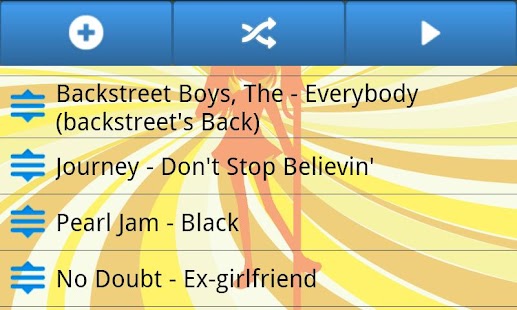
Even if you are gifted with an amazing voice, it will still take lots of practice to hit all the tricky notes. Karaoke is the best way to practice all your favorite songs and Karaoke-A-GoGo is one of the best karaoke apps on the Google Play Store. There are quite a number of karaoke apps for Android, but this one is unique because it can play high-quality MP3+G files from your SD card. It has a Quick Play Mode so that you can sing along with your favorite songs even during your short break times. All it takes is to press a button and you are ready for a sing-along session. The app is also great because it supports playing both MP3 and CDG karaoke files.

If you are bored with doing karaoke, you may want to go to the next level. You can start recording your own singles or make your own covers of famous songs. For starters, you can try RecForge Free to record your songs. It’s not just a free app for you to try out. It can record high-quality WAV, MP3, or OGG files. The best part about this app is that you can share your recordings through social networks or you can upload it to the cloud. You can share your files through mail, Bluetooth, SoundCloud, Dropbox, Box, Ubuntu One, and Google Drive. The app can also be used to convert your recordings to a different audio format so that your friends can easily listen to the format that works for them. The app has a simple interface, which makes it easy to use and it also has widgets which you can tap to start your recording quickly. Try recording your songs now with this app.

Another app that you can use to record your first song is Easy Voice Recorder. It has some unique features of its own that could be useful to you. It can capture audio in MP4, 3GP, and even WAV formats for better recording quality. And, if your songs are really long, there is no problem since the app features no-limit recording. You can record songs until your phone’s memory runs out. Those are what you get if you download the free version of the app, and if you upgrade to the pro version, you get even more features. One great feature is that you can change your recording input. For instance, you can use the camcorder’s microphone for recordings that are clear to the last decibel. Aside from the great features, the app also comes with a great-looking Holo theme. Give this app a try and record your songs with your phone.

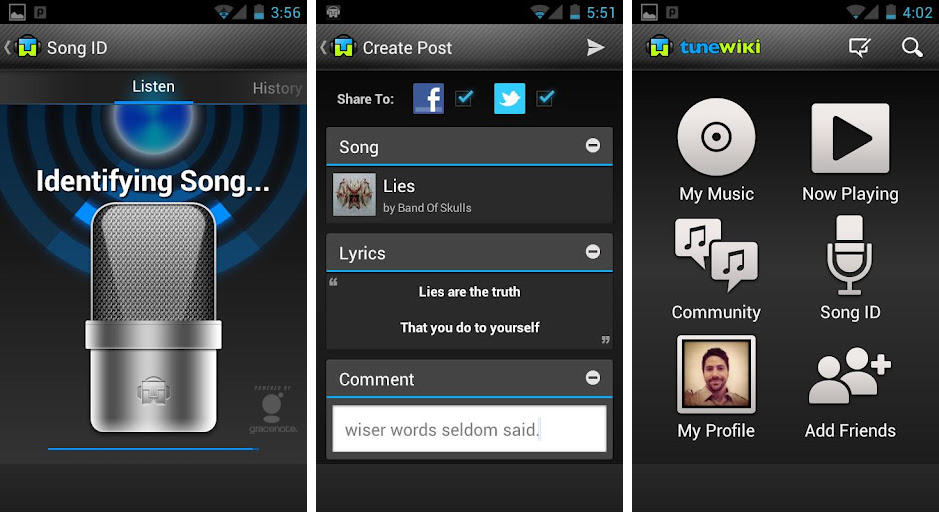
If you are the type who always wants to sing to the latest tunes, then I suggest that you try TuneWiki. With this app, you can find the lyrics for your latest song discoveries. You can listen to your favorite music with synced lyrics and it’s also great because you can share the lyrics of your favorite songs with your friends. It also comes with a translator for over 40 languages. You can now understand some of your favorite foreign artist’s songs and even talk about it with your friends. The app also allows you to discover new songs through SongBox, containing music that is being played or recommended by your friends. You can create, manage and edit your play lists, as well as discover new songs by exploring the Song Maps and latest Top Charts.

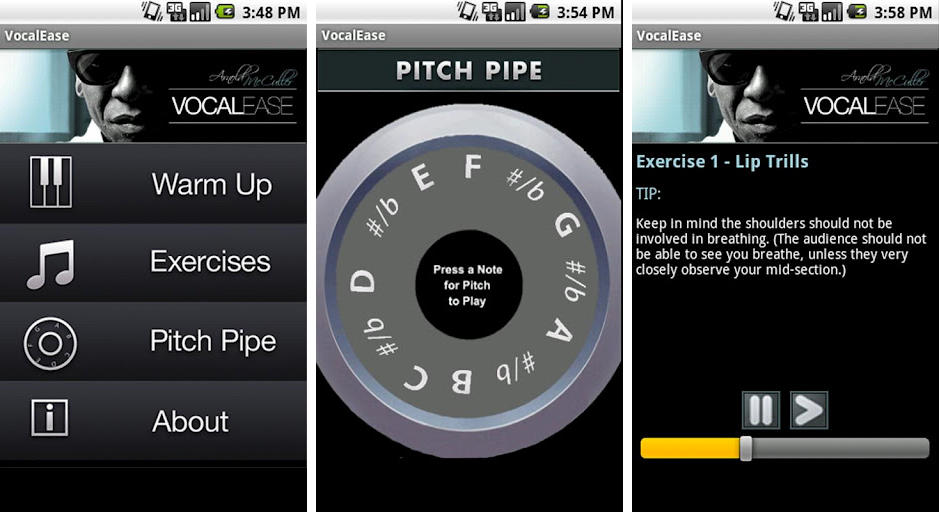
If you are trying out for American Idol, a local singing audition, or a stage event, you need to warm your vocal cords up so that your performance will turn out great. Vocal Ease does just that for you, giving you a warm up exercise to prepare yourself for any vocal performance. Many people tend to ignore vocal exercises, but such exercises actually help. This app is designed by well-known vocal trainer and professional vocalist Arnold McCuller, who has performed with artists like Phil Collins, Carole King, and others. It could come in very handy if you want to get the right pitch or you just need a vocal warm up. It also comes with instructions to help you perform at your best.

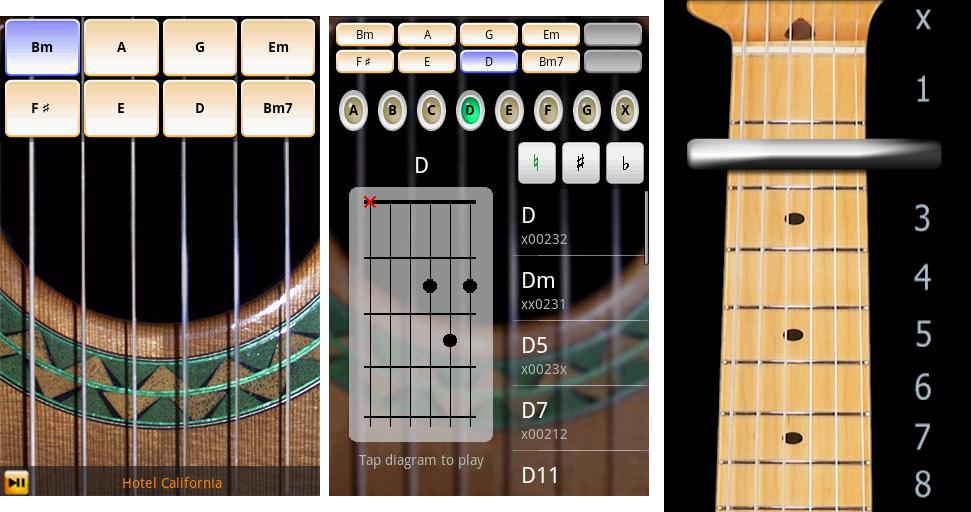
There’s nothing more amazing than singing to the tune of a musical instrument. The most common musical instrument that people around the world use is the guitar. It’s always great to sing with a guitar, but if you are on the go, bringing your guitar with you is somewhat bulky. Guitar : Solo Lite is the answer to this problem. With this app, you can use your smartphone as your guitar. It may sound crazy, but you can actually strum your phone and sing to that beautiful acoustic sound. You can tweak the settings of the app to fit your guitar playing style and even create your own custom chords. This app is highly recommended if acoustic is your genre. It’s great and it really sounds like a real acoustic guitar.

If you’ve heard a new song and you want to find the lyrics but you don’t know the artist or the song title, you can rely on musiXmatch Lyrics & Music to help you pin a name to that tune. You can instantly find lyrics by typing in a line or stanza from the song, and the app will immediately give you results. If you want, you can also share your favorite song lines to your friends via Twitter, Facebook, and Foursquare. The app also includes an enhanced Music Player with playlist management, allowing you to manage your favorite music easily. You can also make a favorite list of your song lyrics so you can easily find them whenever the urge to sing along strikes you.

Recording your song without the tune of any musical instrument could make it sound boring, but if you record a song with musical instruments and a typical voice recorder, the musical instrument could overpower your voice. It’s always better to record in a recording studio, but that’s quite expensive. Don’t worry because EasyBand Studio can do the trick for you. If you want to start a band, this app could be helpful. You can build your song part by part, from the vocals down to the tiniest detail of the instrument sounds. It’s really easy; just drag and drop some chords to the timeline, select your preferred style and tempo, then listen. You can also mute each sound so that you can focus on a particular sound. For instance, if you just want to hear the guitar, you can mute all the other stuff. Create your own band’s music now with EasyBand Studio.

Another app that could help you in editing your song is PocketBand Lite. This app is a cloud-based musical studio which you can use to easily edit your song and turn it into great music. You can record your song, then spice it up by adding more musical effects. For instance, you can add life to your music by incorporating over 125 musical instrument sounds from the polyphonic synthesiser. It also has a Drum Machine, allowing you to choose from 35 drum kits, an Arpeggiator for making interesting music patterns, and more. This app has everything that you need to make your song sound great. You can then publish your songs and get feedback, comments, and votes from other artists. You can even collaborate with other artists if you want to.

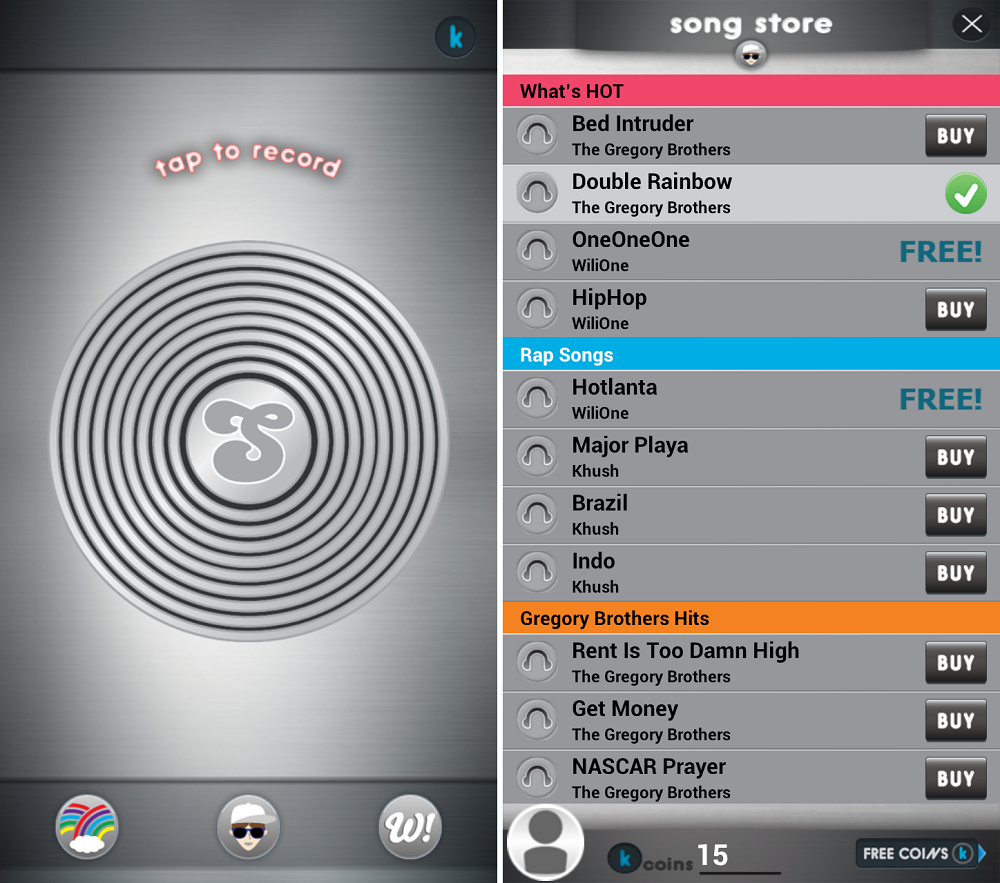
If you are a singer at heart but your voice is not really that nice, don’t lose hope because you can still record a perfect song. When you use Songify, you don’t need a golden voice. All you have to do is say those lyrics out loud and the app will work its magic. When you have recorded your song, you can just choose a music preset, and you are done. It has a lot of music presets available for you to explore. You can even create your own lyrics, try using different presets, and decide which one sounds better. This app is more of an auto-tune software,  but it’s a fun thing to use if you want to hit all the notes.

When you sing songs, it’s always better if you accompany it with a musical instrument and the guitar is often the most common and most portable. If you are not gifted with a musical ear which allows you to know the chords of a song right away, then you should try GuitarTapp Tabs & Chords Trial. Through this app, you can quickly find tabs and chords for guitar, bass, and drums for over 300,000 songs on the Internet. If you have your own tabs, you can also load, edit, and save them on your SD card. A chord dictionary is also included in the app for easy chord identification, in case you don’t know how to play a certain chord.  You can even use it to transpose chords up or down quickly. Rating and sharing the tabs that you find via Twitter and Facebook are also supported, letting your friends know about it. However, this is only a limited free version and you need to upgrade to the full version of the app to enjoy more features.

There are singers gifted with an amazing voice and the talent to harness that gift. On the other hand, there are also those who have the voice but still needs to be trained. In this case, Theory, Practice! could help someone in understanding and practicing the fundamentals of music. It doesn’t just apply for singers, it’s generally useful to guitarists, pianists, and all musicians and composers. The app helps you learn to pay attention to musical details such as intervals, scales, and chords. In the case of singers for instance, it can help you learn to master your timing, particularly in adjusting your pitch when singing a song. The app doesn’t have a very fancy and eye-catching interface but it is definitely functional. Try this app and learn to practice the fundamentals of music.

Theory Practice Android App Download - Free APK Apps ...

Regardless of what you are doing or how talented you are, one thing is for sure–practice helps you become really good at what you are doing. When it comes to singing, performing karaoke is probably the most fun way to polish your vocal cords. Android Karaoke – Sing-Along is one of the most-downloaded karaoke apps for Android simply because this app is not just for those who are good at singing but also for users who want to kill some time by singing along with their favorite songs. The app has more than 1,000 popular karaoke videos in it, so if you like the classics you can sing along using this app. On the other hand, if you like the latest songs, there are new videos added daily which you can check out. The app is very user-friendly and once you’ve installed it, you don’t have to download anything. Just search for your favorite song and do some karaoke. You can even create a favorite videos list so that you can easily access your favorite songs.

Karaoke Sing & Record - Android Apps on Google Play

Songs which are sung with piano accompaniment sound really mesmerizing, particularly ballads and mellow rock. However, unlike the case of the guitar, you can’t bring a piano anywhere. But, if there is a virtual guitar for Android, then there is also an app called Perfect Piano which turns your phone into your very own piano that you can bring anywhere. The app is the ultimate pocket piano giving you the full keyboards of a piano. When you play it, you can choose between the Single Row Mode and Dual Row Mode, according to your preference. Record and Playback of the pieces that you played is also supported, letting you evaluate your performance. And, if you are a beginner, there is also a Learn To Play Mode where you can practice 70 preloaded song samples. You can also share your recorded songs or export it to your SD card.

Perfect Piano - Android Apps on Google Play


Being a great singer or a musician doesn’t only require someone to have an amazing voice or quick hands but also an ear that can hear and pinpoint a note that is out of tune. One should have the capability to pay attention even to the softest musical detail. Not all are gifted with such a talent, but it is also a skill which can be learned through practice, and Perfect Ear is the app that can help you out. The app has exercises and tests such as Interval Comparison, Interval Identification, Interval Singing, Scale Identification, Chord Identification, Chord Inversions, Chord Sequence, and an Absolute Pitch Trainer. It’s ideal to use if you want to improve your skill in identifying sounds like chords and notes. This app could definitely help in sharpening your musical ear for music.

Perfect Ear 2 - Android Apps on Google Play

There are a lot more apps which can help you in your singing, whether you want to practice, record, or share your music.

Tuesday, March 4, 2014

How to remove Shortcut virus in USB Pendrive, PC, Hard disk, memory cards using cmd


We use Pen Drives often and when we plug in our pen drive, memory cards or even mobile phone through USB cable into our windows PC USB port sometimes we are annoyed to see our files changed into shortcut files, even this shortcut virus affects PC Hard disks.


What is Shortcut Virus? 
I have seen this problem in PC having antivirus too, when your Pen drive, PC, Hard Disk, Memory cards or mobile phone got infected by some anonymous malware, they change your files into shortcuts with the original folder icons.

Just follow the below given steps to remove, delete, wipe out or whatever the shortcut virus from your pen drive, memory cards or even mobile phone and recover back your files. 

Follow the below Steps:
  • Go to Start -> Run -> cmd.
  • Go to your pen drive, memory cards or even mobile phone directory.
  • Type attrib -h -r -s /s /d e:\*.*
  • Replace e with your drive letter.
  • And then press a gentle Enter.


Note : After when you got your files, just copy your files somewhere in your PC and format your drive and then copy again your files to the drive. Only then your shorcut virus will get off from your PC...!


WAY TO RECOVER FILE USING " WINRAR "

You can recover your files through Winrar.

Open WINRAR Application.
Navigate to your Pendrive location or PC Folder location.
Copy Files and Paste where you want.
Format your Pendrive. 

Note: If the Drive gets infected again and again " Do a Boot Time Scan Using Avast Antivirus"

Tuesday, February 11, 2014

Hosted Network or AdHoc in Window 8 or Latter.

To connect two laptop through wireless medium i window 8 or latter there is need of hosted network (also known as AdHoc). But this  feature is not present directly
so to achieve this one need to run few commands in Dos

Step 1
Open Run dialog box.
and type "cmd'. (open as Administrator)

Step 2
In cmd screen type the following commands
netsh wlan show drivers


check weather it supports the hosted network or not


Step 3
If yes then type the following commands
netsh wlan set hostednetwork mode=allow ssid=network_name key=pass_key


Step 4
You are almost there, just a last command to type
netsh wlan start hostednetwork


Enjoy the inter connection between systems. :)
for any assistance feel free to contact.

How Operating Systems Work

Within the broad family of operating systems, there are generally four types, categorized based on the types of computers they control and the sort of applications they support. The categories are:

Real-time operating system(RTOS)
Real-time operating systems are used to control machinery, scientific instruments and industrial systems. An RTOS typically has very little user-interface capability, and no end-user utilities, since the system will be a "sealed box" when delivered for use. A very important part of an RTOS is managing the resources of the computer so that a particular operation executes in precisely the same amount of time, every time it occurs. In a complex machine, having a part move more quickly just because system resources are available may be just as catastrophic as having it not move at all because the system is busy.

Single-user, single task
As the name implies, this operating system is designed to manage the computer so that one user can effectively do one thing at a time. The Palm OS for Palm handheld computers is a good example of a modern single-user, single-task operating system.

Single-user, multi-tasking
This is the type of operating system most people use on their desktop and laptop computers today. Microsoft's Windows and Apple's MacOS platforms are both examples of operating systems that will let a single user have several programs in operation at the same time. For example, it's entirely possible for a Windows user to be writing a note in a word processor while downloading a file from the Internet while printing the text of an e-mail message.

Multi-user
A multi-user operating system allows many different users to take advantage of the computer's resources simultaneously. The operating system must make sure that the requirements of the various users are balanced, and that each of the programs they are using has sufficient and separate resources so that a problem with one user doesn't affect the entire community of users. Unix, VMS and mainframe operating systems, such as MVS, are examples of multi-user operating systems.

It's important to differentiate between multi-user operating systems and single-user operating systems that support networking. Windows 2000 and Novell Netware can each support hundreds or thousands of networked users, but the operating systems themselves aren't true multi-user operating systems. Thesystem administrator is the only "user" for Windows 2000 or Netware. The network support and all of the remote user logins the network enables are, in the overall plan of the operating system, a program being run by the administrative user.

With the different types of operating systems in mind, it's time to look at the basic functions provided by an operating system.


Top programming languages you should know to be master in computer world.......

Knowing a handful of programming languages is seen by many as a harbor in a job market storm, solid skills that will be marketable as long as the languages are. Yet, there is beauty in numbers. While there may be developers who have had riches heaped on them by knowing the right programming language at the right time in the right place, most longtime coders will tell you that periodically learning a new language is an essential part of being a good and successful Web developer.

1. PHP
What it is: An open-source, interpretive, server-side, cross-platform, HTML scripting language, especially well-suited for Web development as it can be embedded into HTML pages.
Why you should learn it: Its particularly widely used. "High-speed scripting with caching, augmented with compiled code plug-ins (such as can be done with Perl and PHP) is where the future is. Building Web apps from scratch using C or COBOL is going the way of the dinosaur," said Duquaine.
Job availabilities: 1,152*

2. C#
What it is: A general-purpose, compiled, object-oriented programming language developed by Microsoft as part of its .NET initiative, it evolved from C and C++
Why you should learn it: Its an essential part of the .Net framework. "Learning C#, which is just Java with a different name plate, is critical if you heavily use Microsoft," said Duquaine.
Job availabilities: 5,111

3. AJAX (Asynchronous JavaScript and XML)
What it is: Though technically not a programming language, AJAX uses XHTML or HTML, JavaScript and XML to create interactive Web applications.
Why you should learn it: Ever since Google Maps put AJAX, well, on the map, the requests for AJAX-knowledgeable pros went through the roof. "The demand for AJAX knowledge is huge because its so damned hard to learn," said Huckaby. Of note, Microsoft announced recently plans to release a tool named Atlas that will make AJAX easier to implement. "If Microsofts Atlas tool is successful, it would bring the extreme complexity and annoyance of AJAX to the average worker," said Huckaby.
Job availabilities : 1,106

4. JavaScript
What it is: Not to be confused with Java, JavaScript is a an object-oriented, scripting programming language that runs in the Web browser on the client side. Its smaller than Java, with a simplified set of commands, easier to code and doesnt have to be compiled.
Why you should learn it: Embedded into HTML, its used in millions of Web pages to validate forms, create cookies, detect browsers and improve the design. With its simplicity to learn as well as wide use, its considered a great bang for your educational buck.
Job availabilities: 4,406

5. Perl
What it is: Perl is an open-source, cross-platform, server-side interpretive programming language used extensively to process text through CGI programs.
Why you should learn it: Perls power in processing of piles of text has made it very popular and widely used to write Web server programs for a range of tasks. "Learning some form of scripting language, such as Perl or PHP is critical if you are doing Web apps," said Duquaine.
Job availabilities: 4,810

6. C
What it is: A standardized, general-purpose programming language, its one of the most pervasive languages and the basis for several others (such as C++).
Why you should learn it: "Learning C is crucial. Once you learn C, making the jump to Java or C# is fairly easy, because a lot of the syntax is common. Also, a lot of C syntax is used in scripting languages," said Duquaine.
Job availabilities: 6,164, including all derivatives

7. Ruby and Ruby on Rails
What they are: Ruby is a dynamic, object-oriented, open-source programming language; Ruby on Rails is an open-source Web application framework written in Ruby that closely follows the MVC (Model-View-Controller) architecture.
Why you should learn it: With a focus on simplicity, productivity and letting the computers do the work, in a few years, its usage has spread quickly. As a bonus, many find it easy to learn.
Job availabilities : 210 and 54, respectively

8. Java
What it is: An object-oriented programming language developed by James Gosling and colleagues at Sun Microsystems in the early 1990s.
Why you should learn it: Hailed by many developers as a "beautiful" language, it is central to the non-.Net programming experience. "Learning Java is critical if you are non-Microsoft," said Duquaine.
Job availabilities: 14,408

9. Python
What it is: An interpreted, dynamically object-oriented, open-source programming language that utilizes automatic memory management.
Why you should learn it: Designed to be a highly readable, minimalist language, many say it has a sense of humor (spam and eggs, rather than foo and bar), Python is used extensively by Google as well as in academia because of its syntactic simplicity.
Job availabilities: 811

10. VB.Net (Visual Basic .Net)
What it is: An object-oriented language implemented on Microsofts .Net framework.
Why you should learn it: Most argue that VB.Net is currently more popular than ever and one of the only "must-learns." "It is currently dominating in adoption and that is where all the work is," said Huckaby.
Job availabilities: 2,090* 

*All numbers on job availability were pulled from nationwide queries on Dice.com, a job site for technology professionals. Check out eWEEK.coms for the latest news, reviews and analysis in programming environments and developer tools.